Get it
Version 1.2.0
Static binaries with no runtime dependencies. Unpack, run the installer, and it records. Every file below is covered by one signed checksum manifest.
This release adds a local-AI assistant, evaluated honestly against a pre-registered gate and kept off by default — see the product page for why. No .rpm package or Linux desktop viewer this time: both need a build environment this release was not built from, and are next once that changes. It has not run on a production network yet; see the status section on the product page for exactly what has been verified and where.
The recorder — Linux
- Linux recorder · x86-64 · .tar.gz
A server, a mini PC, or a VM you already have. Unpack and run the installer.
linux/amd6412 MB - Linux recorder · ARM64 · .tar.gz
A Raspberry Pi 4 or 5, or any arm64 board. The same recorder, same eBPF object.
linux/arm6411 MB - Linux recorder · x86-64 · .deb
Debian or Ubuntu. Installs the service, creates the netrewind group, and keeps your config on upgrade.
debian/ubuntu10 MB - Linux recorder · ARM64 · .deb
Debian or Ubuntu on arm64 — a Pi, or an arm64 server.
debian/ubuntu9 MB Windows — recorder and viewer, one installer
- NetRewind for Windows · x64 · installer
The recorder and the desktop viewer together. Installs both, registers the recorder as a Windows service, and starts it.
windows/x6411 MB - NetRewind for Windows · x64 · MSI
The same files, for deployment tooling. Register the service afterwards (netrewindd.exe service install).
windows/x6415 MB
On Linux the recorder watches the kernel directly, through netlink and eBPF. On Windows it watches through the IP Helper API instead, and covers less — interfaces, addresses, routes and neighbours, not flows or filtering policy. There is no macOS build. On Windows, one installer gives you the recorder and the desktop viewer together.
Check what you downloaded
This release publishes checksums and a signature over them, made with a key that never touches CI. Checksums prove the file arrived as the server sent it; the signature is what proves who built it.
sha256sum -c SHA256SUMSL3Q7cNQWNu50IjcKdJpCHTZXvwdk+qg3aN8c98UmZn8=Put this in netrewindd.yaml under update.public_key and the recorder refuses any release it cannot verify — including one it is offered by something pretending to be the release feed.
Or as a container
No image is published to a registry yet, so build it from the repository. --network host is not optional: without it the recorder watches the container’s own namespace, which is a network of one interface that nothing interesting happens on.
docker build -f deploy/Dockerfile -t netrewind .
docker run --network host --cap-add NET_ADMIN --cap-add BPF netrewind
Quick start
Recording inside a minute
One static binary, no runtime dependencies, no database to stand up, no agents to roll out.
1
Unpack
Also built for arm64 — the same eBPF object serves both.
tar -xzf netrewind-1.2.0-linux-amd64.tar.gz
cd netrewind-1.2.0-linux-amd64
2
Install
Installs both binaries, the rule library and a systemd unit, then starts recording.
sudo ./install.sh3
Read it back
Or netrewind serve for the same record in a browser, on loopback.
netrewind timeline --last 15m
Uninstalling never touches the event store. It is the record, and a script that deleted evidence on its way out would be indefensible.
Or on Windows
One signed installer gives you the recorder and the desktop viewer together: it installs both, registers the recorder as a Windows service, and starts it. See the downloads above.
Or boot it from a USB stick
Write the appliance image to a stick, boot a spare machine, and it records from first boot. Nothing to install, nothing to configure.
See it running
NetRewind 1.0.0, on a real machine
The desktop viewer reading a live recorder on a physical Windows machine — then a fault, injected on purpose, and the recorder naming its cause on its own.
Real captures of the installed 1.0.0 build, connected to the Windows recorder over its local pipe — the same netrewindd service that ships on Linux, watching through the IP Helper API on this machine. Cropped to the application window; the recorder’s observer id is the neutral “workstation”.
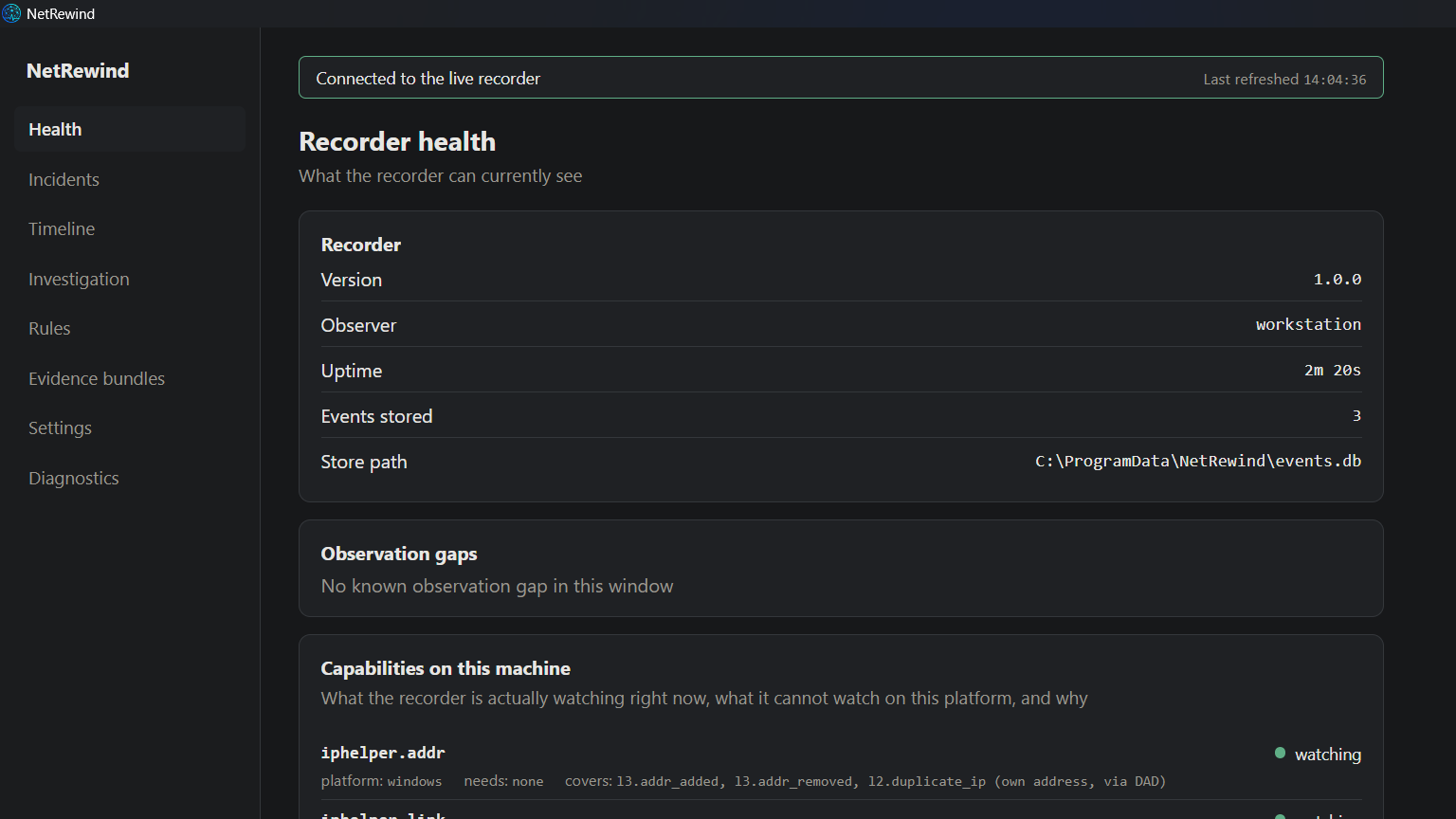
01Recorder health
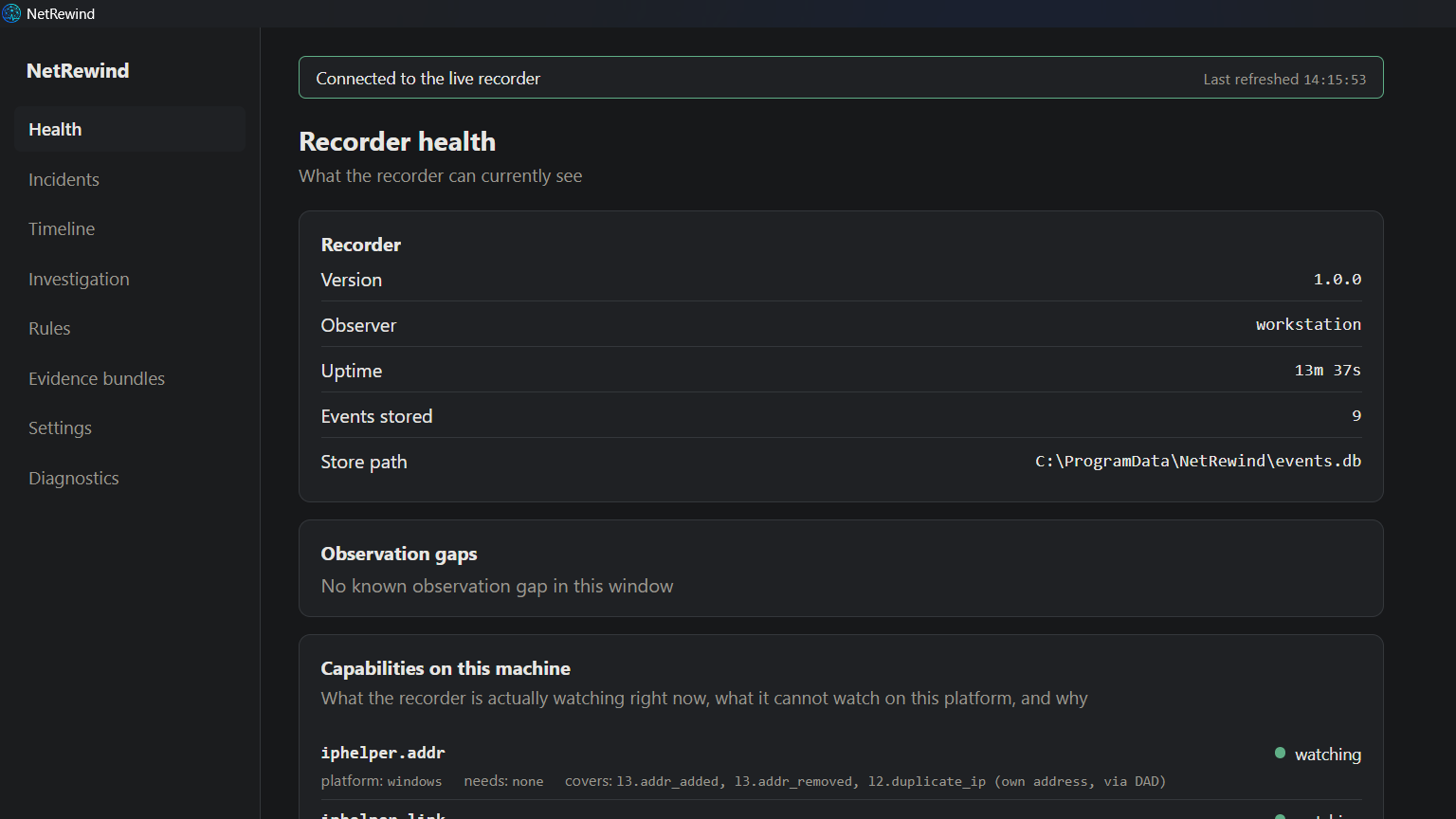
Connected to the live recorder: version, uptime, store path, and the capability report — what each collector is watching on this machine, and what it cannot watch here, with the reason. It reports its own blind spots.
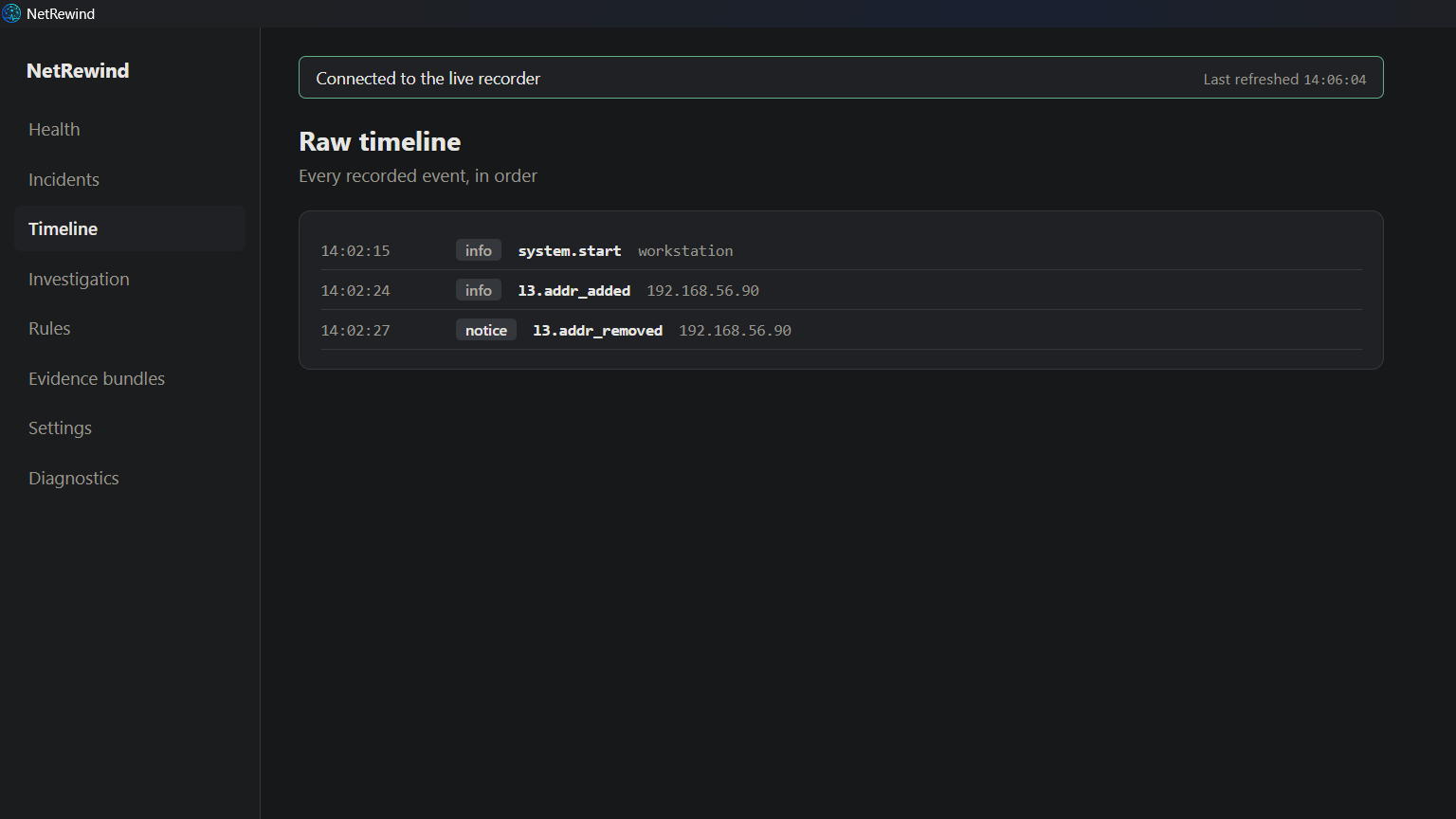
02The raw timeline
Every recorded state change, in order. This is the record NetRewind keeps so an outage can be read back after it is over, instead of guessed at.
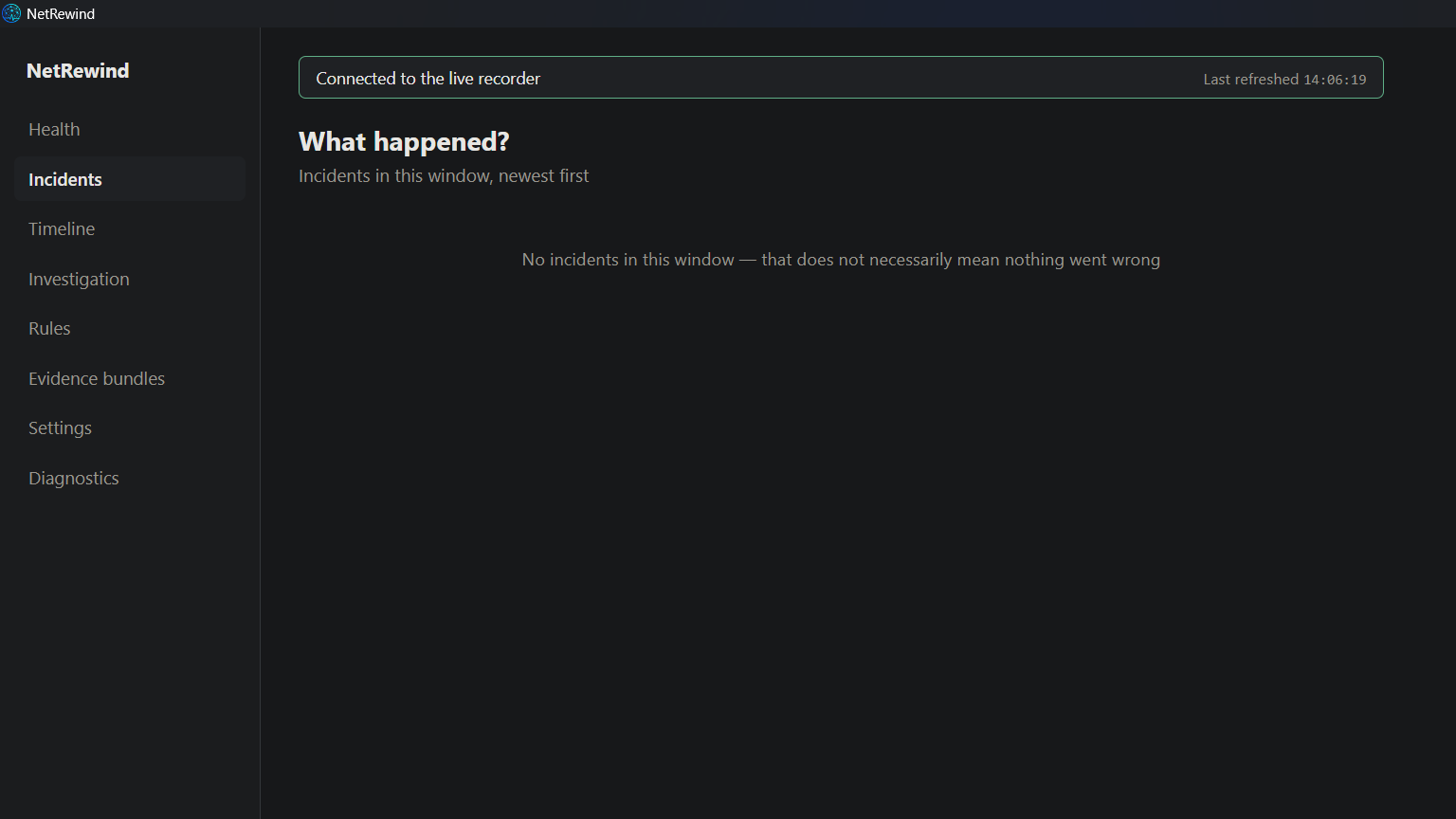
03No incidents — yet
Before the fault: “No incidents in this window — that does not necessarily mean nothing went wrong.” It does not invent one to look busy.
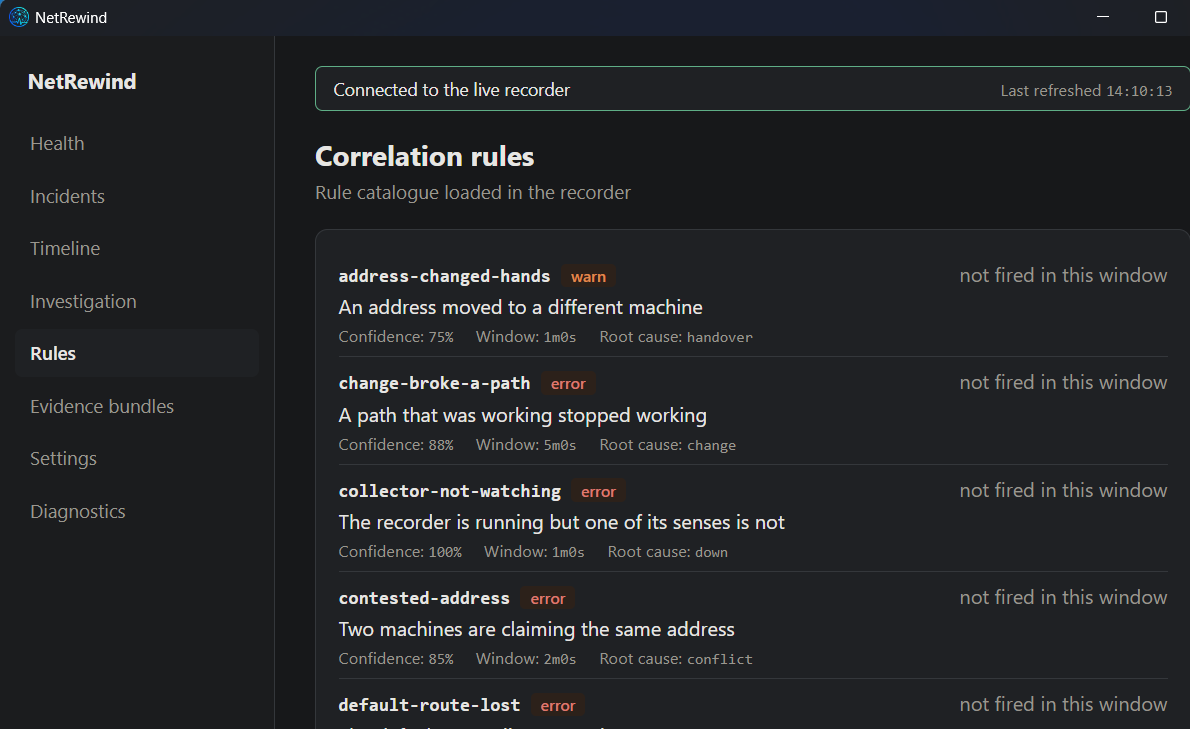
04The rule catalogue
The correlation rules loaded in the recorder — each with the confidence it carries and the root cause it names when it fires.
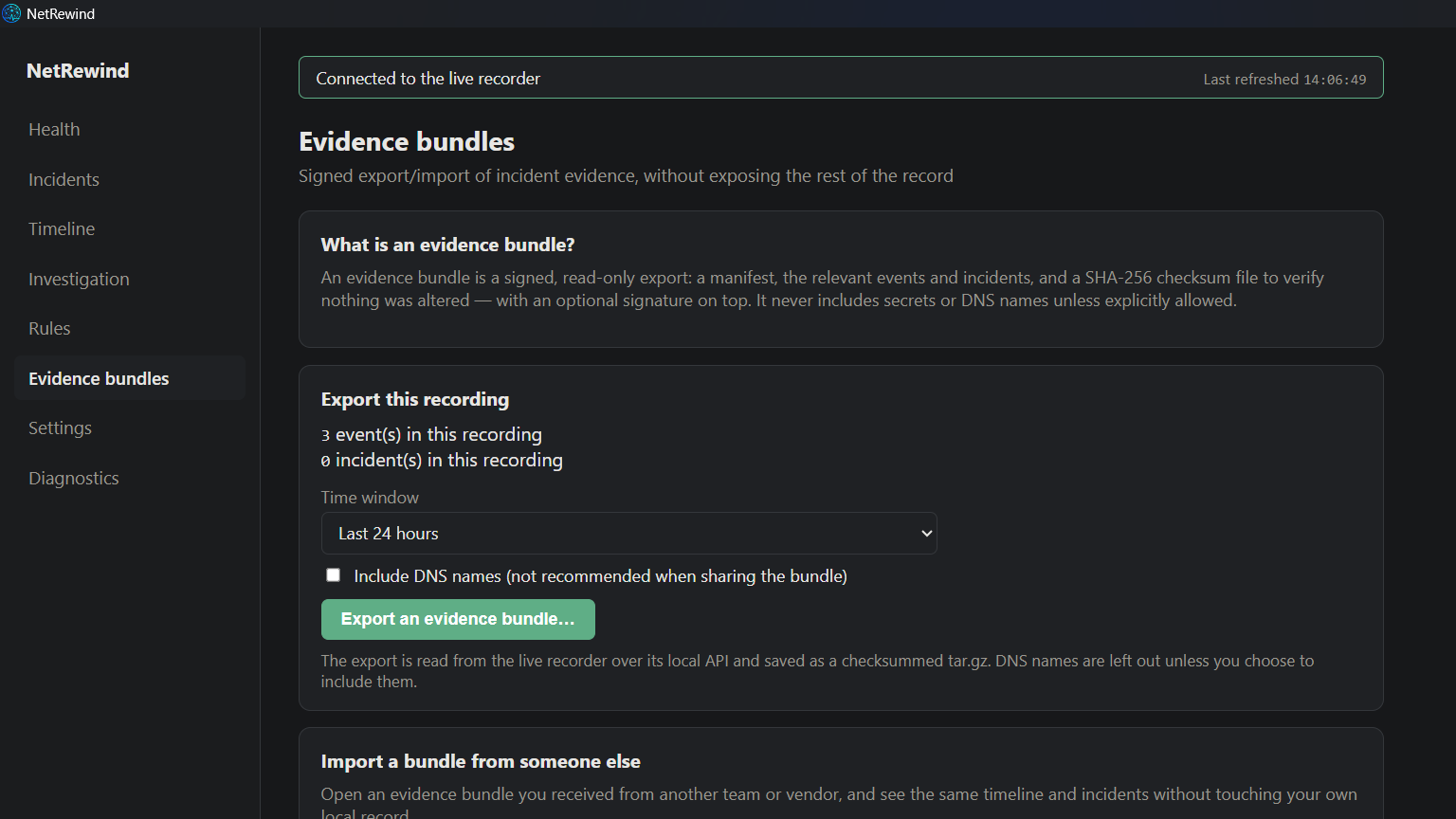
05Evidence bundles
Export a window of the record as a signed, checksummed archive — no secrets, and no DNS names unless you opt in — or open one you were sent, and read it without touching your own record.
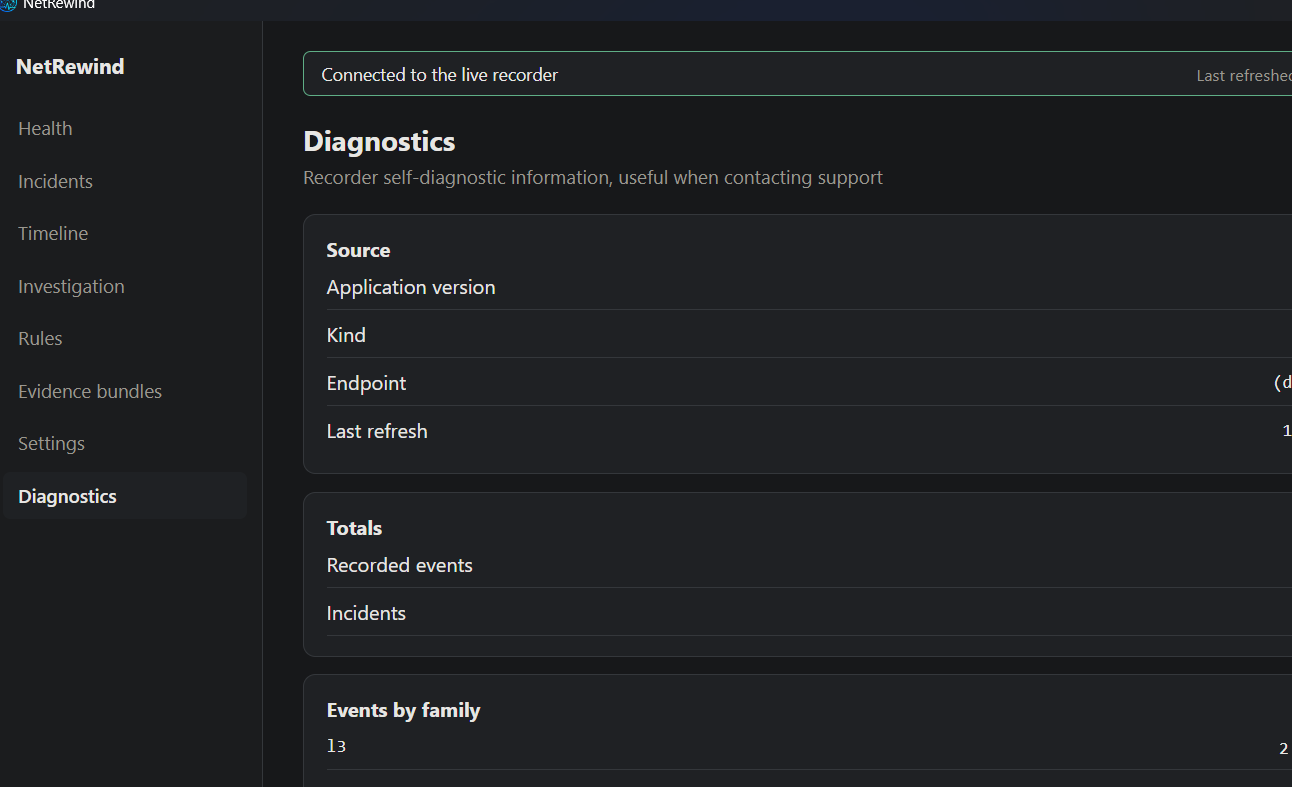
06Diagnostics
The self-diagnostic view for when something is not answering: the source and endpoint the viewer is reading, the totals, and the count of events by family.
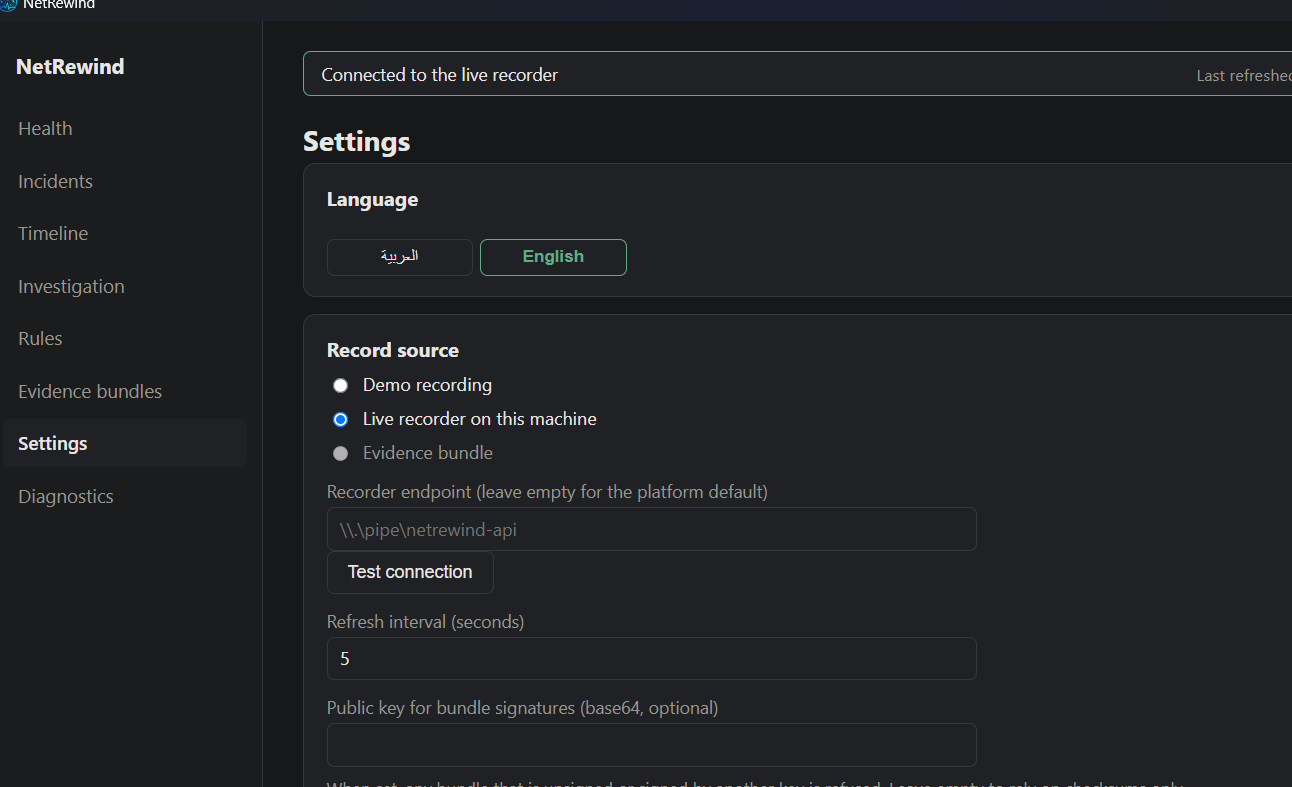
07Settings
Language, the record source (here, the live recorder on this machine), the recorder endpoint, the refresh interval, and the public key that makes the viewer refuse an unsigned bundle.
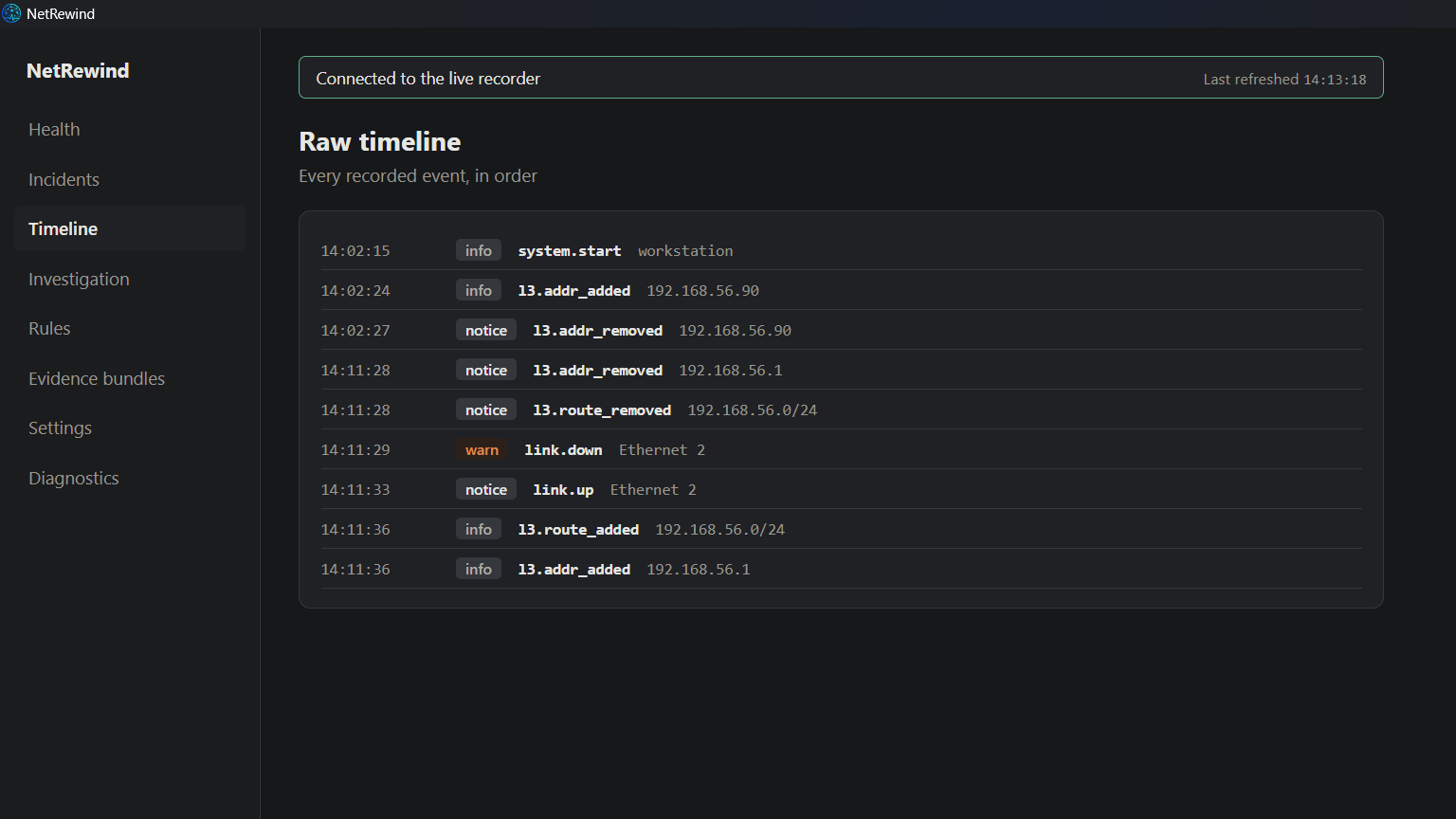
08A fault, as it is recorded
We flapped a network port five times — what a failing transceiver or a marginal cable looks like. The recorder captured the repeated link-down / link-up, and the address and route that left and returned with it.
09The diagnosis
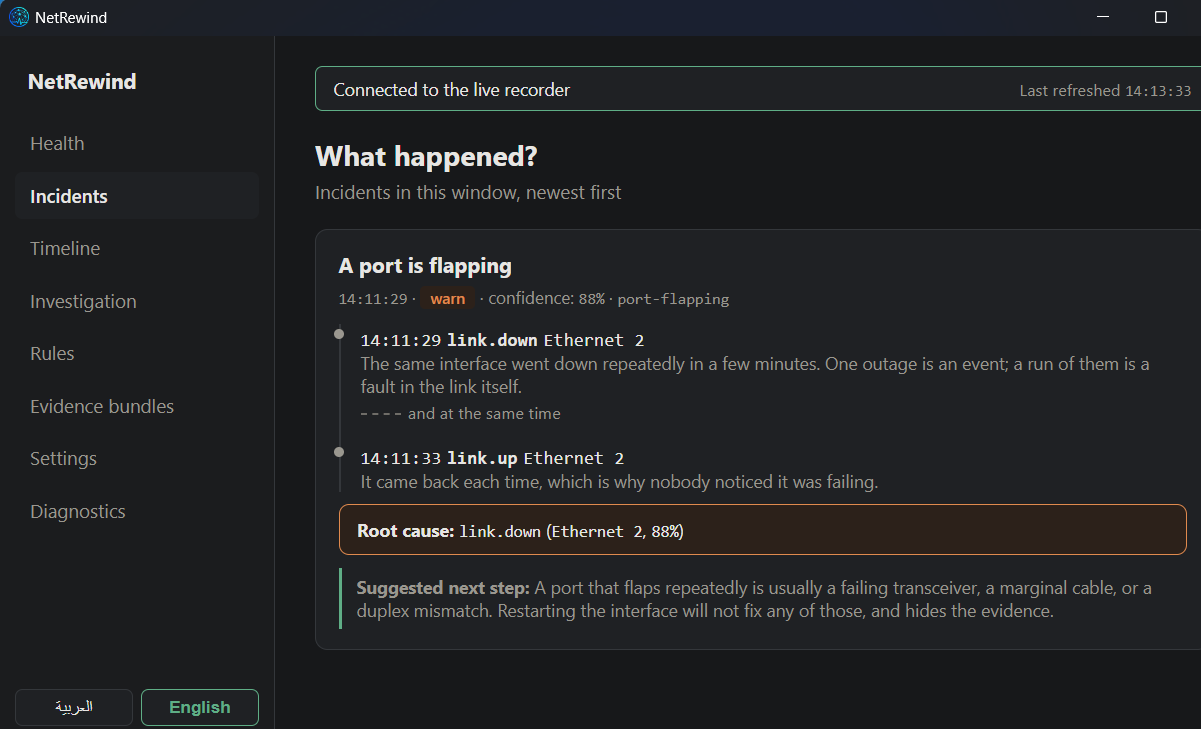
The engine concluded “A port is flapping” on its own — 88% confidence — set out the causal chain, named the root cause, and gave the remediation. Nobody asked it a question.
10The same incident, in Arabic
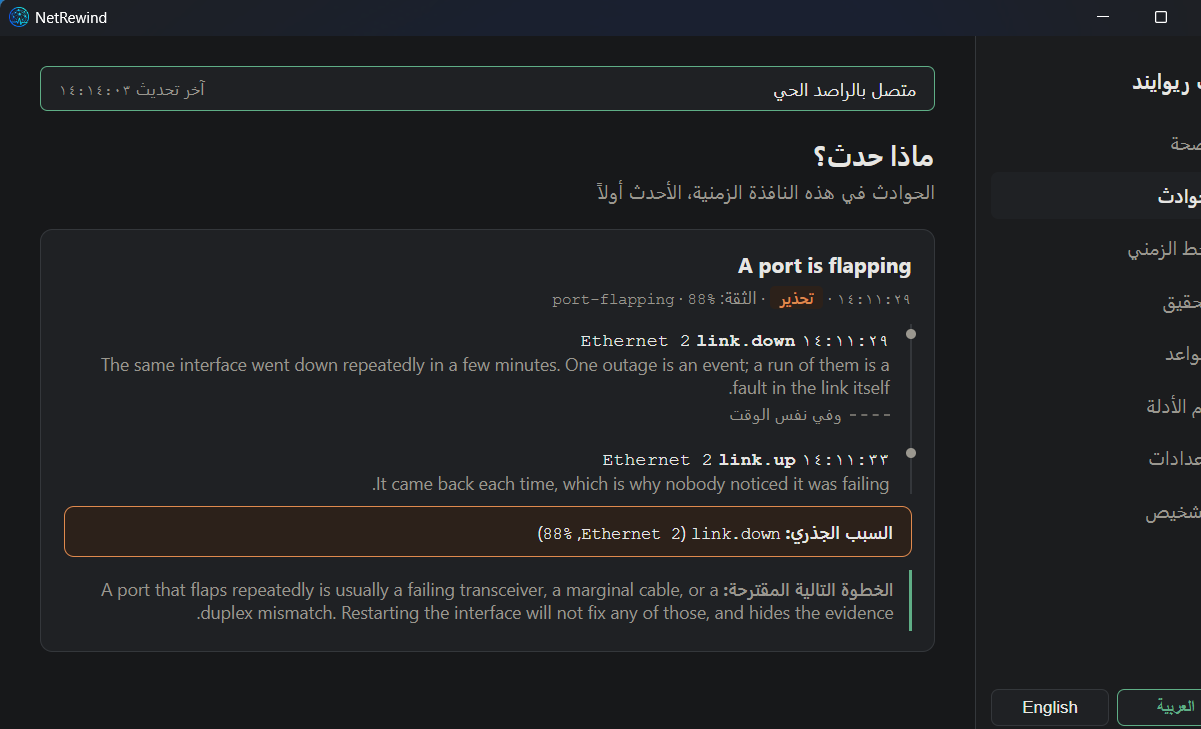
The whole interface is bilingual and right-to-left. Only what the recorder itself prints — event kinds, the rule’s own text — stays in the language it printed it, because translating output would invent output NetRewind does not produce.
11Healthy again
After the fix, the recorder is healthy with no observation gap — and the flapping incident stays in the record as history. The evidence is not erased by the recovery.